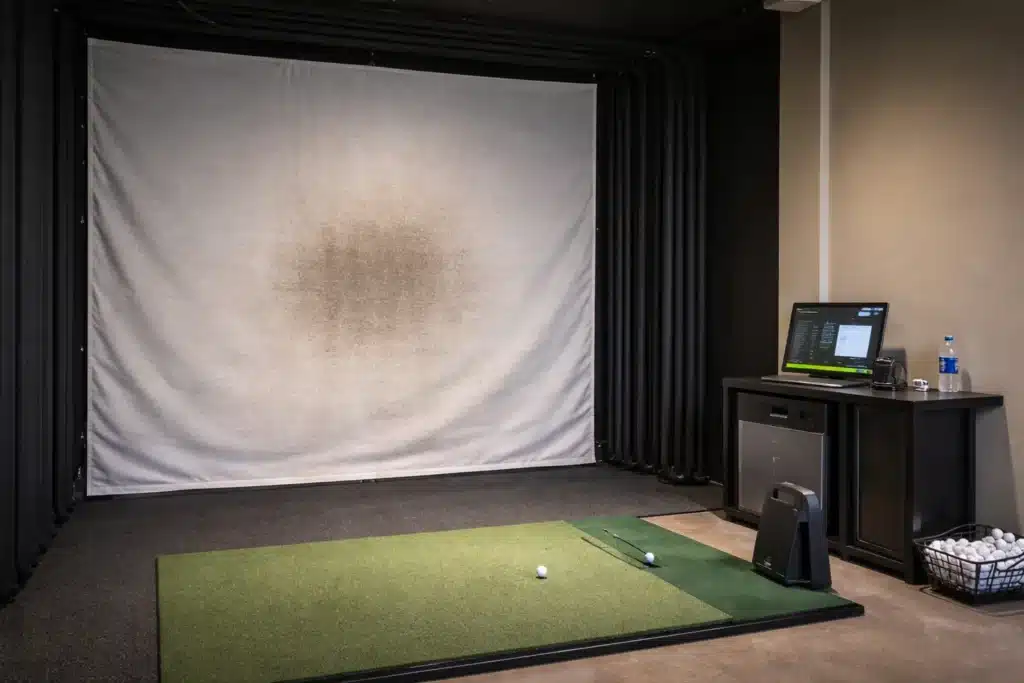
Yes, cheap golf balls can damage an impact screen when their surface becomes dirty, scuffed, chipped, cracked, rough, or raised at the seam. The real risk is not low price alone; it is abrasive ball-to-screen contact that accelerates simulator screen wear, visible marks, bay downtime, replacement cost, and guest-experience damage.
The cheapest ball in the bay can become expensive when it starts grinding down the screen that earns revenue by the hour. In an indoor golf facility, academy, fitting studio, or private club, the ball is not just a consumable. It is part of the bay-protection system.
Use this guide to separate ball price from impact screen damage, simulator screen wear, bay downtime, indoor-use ball policy, pre-switch testing, seam proof, repeated-impact evidence, and supplier QC.
Why can cheap balls become a $3,000 problem?
You may think your team is saving on golf balls, but your bay may be absorbing the real cost through premature screen wear, downtime, refunds, and guest doubt.
A cheap ball becomes a $3,000 problem when the ball-price saving increases wear on a multi-thousand-dollar screen or takes a bookable bay offline. Your team should compare per-ball savings against screen replacement, lost booked hours, reset labor, refunds, and the visual damage guests notice before a screen fully fails.
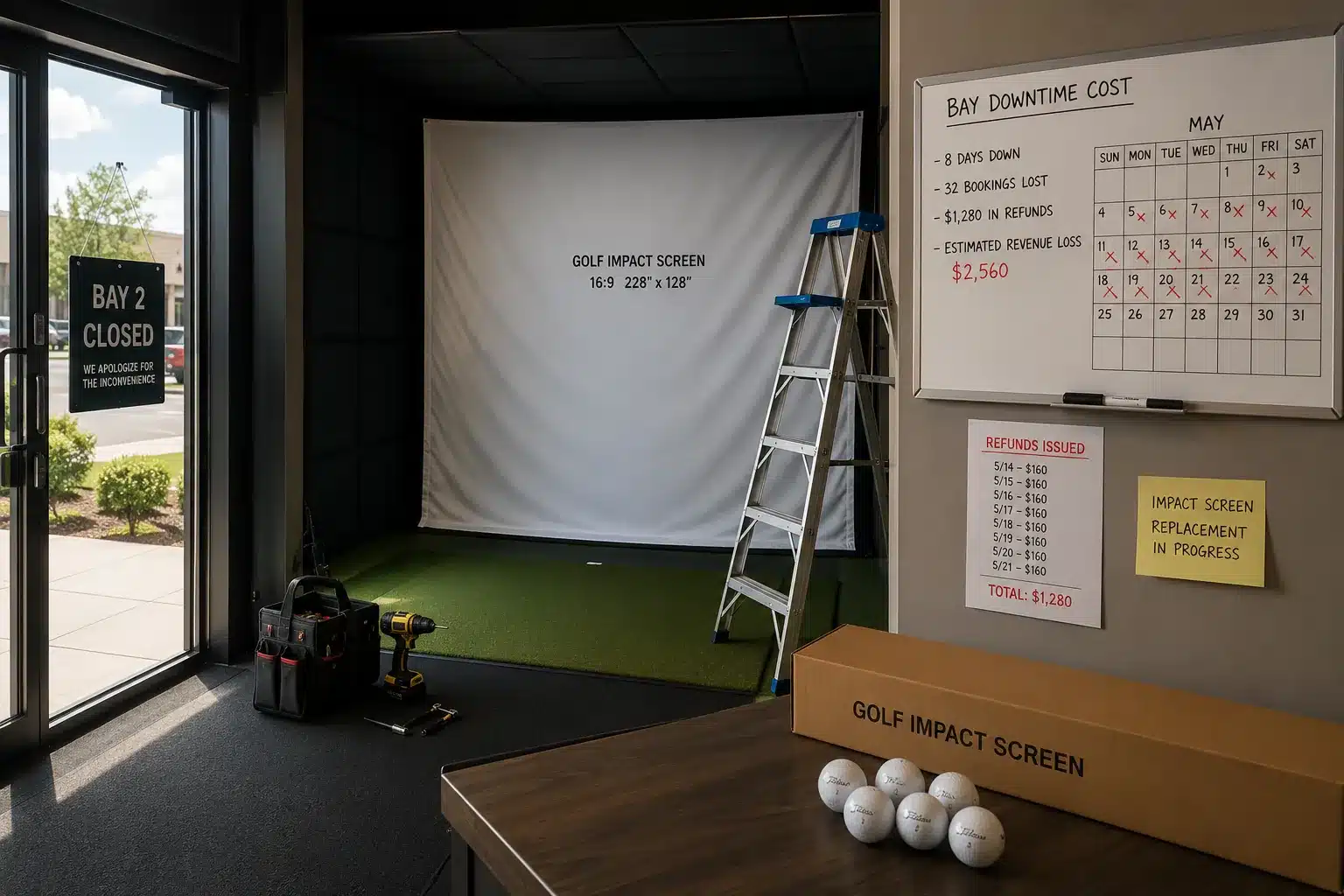
The financial trap is simple: a golf ball looks like a small consumable, while an impact screen looks like maintenance. In a simulator business, that split is misleading. The ball is one of the few objects repeatedly contacting the room’s revenue surface at high speed. If the surface of that ball is rough, dirty, chipped, or flashing at the seam, the cost can move from “small OpEx saving” to “bay asset exposure.”
One replacement impact screen listing shows around $850, while a pro enclosure kit with impact screen is listed from $3,400 and positioned for commercial studios and high-end golf rooms. These are examples, not universal pricing, but they support the buying logic: your team is not protecting a cheap fabric wall. You are protecting a room that sells time, trust, and repeat visits.
Imagine a premium simulator bay saves $0.20 per ball by switching to a cheaper indoor-use ball. If that ball’s rough seam, chipped finish, or scuffed surface contributes to one screen event, the saving can disappear quickly: an $850 replacement screen plus $1,500 in refunded or lost bookings over 48 hours of downtime turns a small consumable saving into a bay-asset problem.
| Pain/decision | What seems saved | What may get hit | Action/evidence |
|---|---|---|---|
| Cheap ball quote | Consumable cost | Screen wear | Model screen event cost |
| Outdoor balls reused | Inventory spend | Premium bay surface | Separate inventory |
| No indoor spec | Purchase time | Replacement-cycle control | Define bay-use criteria |
| Worn screen delayed | Maintenance budget | Booked-hour revenue | Track downtime |
| One good sample | Approval effort | Batch consistency | Request QC pack |
Use this working formula before approving a lower ball price:
Screen Event Cost = Replacement Screen / Enclosure Cost + (Bay Rate × Lost Booked Hours) + Reset / Cleaning Labor + Refunds or Credits
Screen wear rising while ball-price savings are celebrated is a failure signal.
Build a downtime-sensitive worksheet using ball-price difference, screen replacement cost, bay rate, lost booked hours, refunds, and reset labor. Then compare your own screen replacement history and booking calendar against the proposed ball change. Simulator operators should protect booked-hour revenue before chasing ball-price savings.
Do not approve the cheaper ball if the downtime model shows that screen-event exposure can erase the consumable saving.
✔ True — The ball is part of the bay-protection system
In a commercial simulator room, the ball repeatedly contacts a screen that protects booking revenue, room appearance, and guest confidence.
✘ False — “We are only saving on balls”
Your team is also making a decision about screen wear, bay downtime, guest impression, and how quickly a premium room starts looking tired.
Unit price vs bay downtime?
Your team should price the hours the bay cannot sell, not only the balls it buys.
The cheapest simulator ball is not the lowest invoice line. It is the ball that protects the screen, stays smooth under indoor use, and does not create avoidable downtime. A lower ball price is useful only if it does not shorten the life of the asset it repeatedly hits.
What actually tears an impact screen?
You may ask whether real golf balls ruin simulator screens, but the better question is whether the ball surface stays clean, smooth, and controlled at impact.
Impact screens are usually damaged by surface condition, not by the word “cheap.” Dirty, scuffed, chipped, cracked, rough-equator, outdoor-used, or seam-flashing balls can create abrasive contact that accelerates screen wear, visible marks, hot spots, and guest-facing screen degradation.
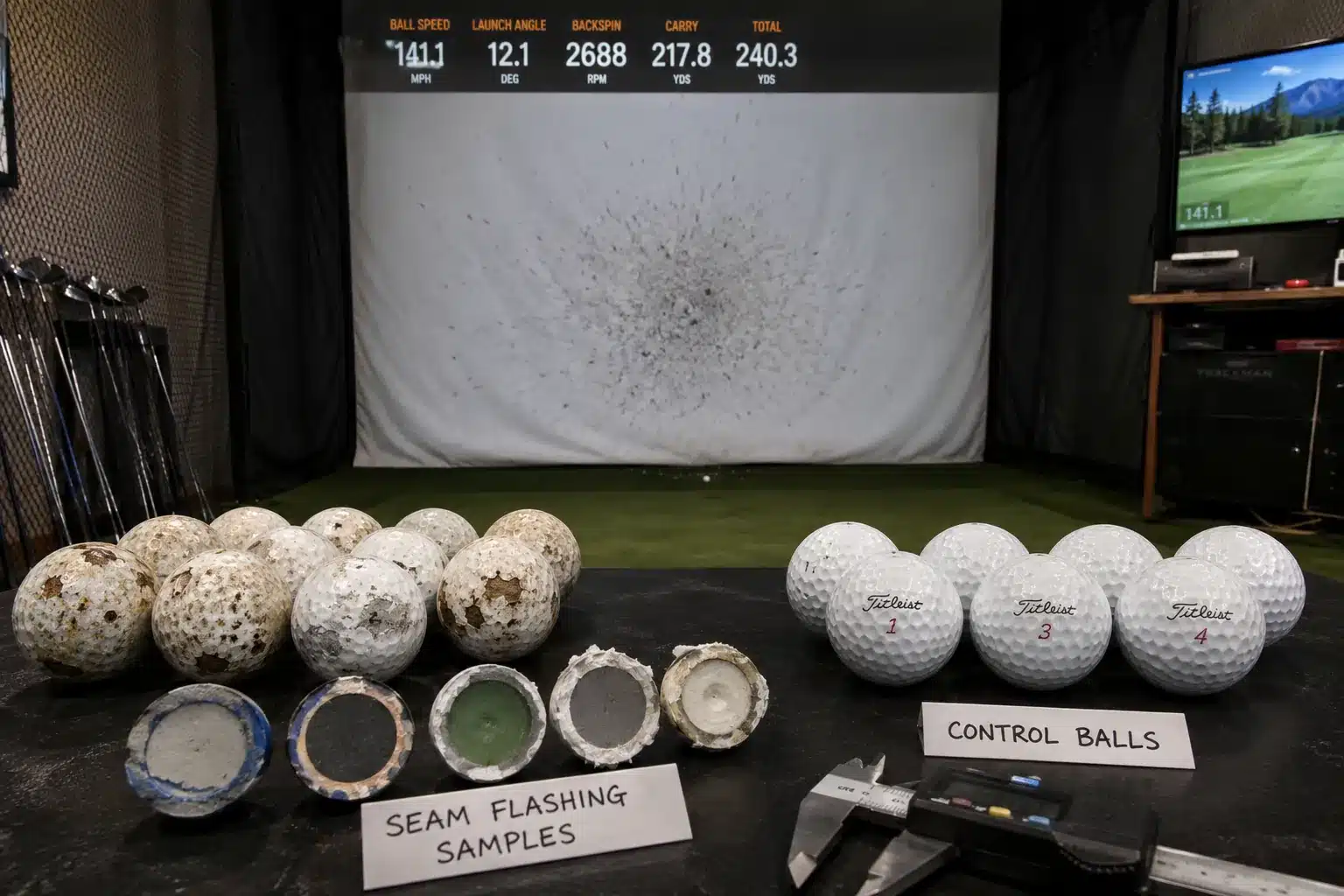
The screen does not know the ball price. It only receives the ball surface.
That surface can become risky in several ways. Seam flashing can act like a micro-edge. Chipped paint or rough clear coat can behave like an abrasive patch. Dirty or outdoor-used golf balls can carry grass, grit, sand, marker transfer, or scuffs into a room that was designed for clean, controlled indoor contact.
High-spin wedge shots can make the issue more visible because the ball spends more frictional time against the screen. That does not mean wedge shots are the enemy. It means weak ball-surface control becomes obvious fastest in the strike zones guests use most.
Screen-care guidance for simulator operators recommends clean golf balls that are not scuffed. Another impact-screen care guide gives the same operating logic: keep balls and clubs clean, and separate indoor and outdoor balls to prevent outdoor scuff marks from transferring to the screen. screen-care guidance indoor/outdoor ball guidance
What the screen sees at impact is simple:
-
seam flashing = a possible micro-edge
-
chipped finish = rough abrasive contact
-
dirt or outdoor use = friction contamination
-
cracked ball = unpredictable surface and rebound behavior
-
unknown mixed bucket = no one owns the risk
A used outdoor range ball may still produce launch-monitor data. That does not make it acceptable for a premium indoor bay. Data capture and screen protection are related, but they are not the same acceptance standard.
Create an indoor ball surface-check sheet for dirt, scuffs, chipped paint, rough clear coat, seam flashing, cracks, and outdoor-use history. Inspect the equator and post-impact ball surface before the ball enters premium bay inventory.
No dirty, scuffed, chipped, cracked, rough-equator, or outdoor-used ball enters a premium simulator bay.
Scuffs, dirt, seams, and chipped finish?
Your screen does not care whether the ball was expensive; it cares whether the ball surface stayed smooth.
That is why “real balls ruin screens” is too broad. Clean, smooth, controlled balls are different from dirty, scuffed, chipped, or rough-surface balls. Your operating rule should separate ball type from ball condition.
Which ball spec protects the screen better?
You may ask for a premium ball, but premium language does not prove that the seam is smooth or that the finish stays stable after repeated indoor impact.
A better simulator ball is not simply the most expensive ball; it is the ball with a clean surface, controlled seam, stable finish, suitable compression window, and documented batch consistency. Your team should approve indoor-use fit, not generic premium language.
A simulator facility does not always need a tour-level ball. It needs a ball that fits the bay: clean surface, controlled seam, stable finish, acceptable compression, and repeatable lot quality.
The first variable is seam or equator control. A rough equator can become a repeated contact edge. The buyer evidence is not “smooth finish” in a quote. It is seam macro photos with scale markers, ideally taken from the production candidate, not a staged hero sample.
The second variable is surface finish stability. A new ball can look smooth in the box and still become rough after repeated indoor impact. Your supplier should provide before/after surface comparison from a repeated-impact check, or at least a method note showing how the finish was evaluated.
The third variable is compression window. Do not turn compression into a magic screen-safety claim. Treat it as a fit-for-bay variable. Your team should know the target, average, range, and batch spread so the indoor-use lot does not drift from one shipment to the next.
Paint and surface geometry matter more than many buyers realize. Golf ball paint guidance explains that paint is more than appearance, and that paint applied too thick, too thin, or unevenly can change expected flight. Aerodynamics guidance also explains that dimple shape, depth, edge angle, and count influence lift, drag, trajectory, peak height, and distance. paint precision dimple geometry
For indoor procurement, that does not mean you need a physics lecture. It means seam control, surface finish, coating consistency, and compression window are specifications, not marketing adjectives.
| Pain/decision | Indoor-ball variable | Buyer evidence | Action/evidence |
|---|---|---|---|
| Rough equator | Seam control | Macro photo with scale | Reject flashing |
| Screen marks | Surface finish | Before/after impact photos | Compare surface |
| Finish chips | Clear-coat stability | Abrasion/rub-style note | Request method |
| Harsh feel | Compression window | Average + range/SD | State target |
| Cover drift | Shore hardness | Method + device | Track batch |
| Sample drift | Version control | Locked proof version | Tie to QC |
Supplier shall state seam condition, surface-finish system, compression target, Shore hardness method, surface-defect limit, and proof-version reference for the indoor-use ball platform before buyer approval.
Request an indoor-use ball spec sheet covering seam, finish, compression, Shore hardness, surface-defect limit, and proof version. Check whether the supplier can prove the same ball platform after repeated impact, not only in a new-ball photo.
Do not approve a simulator ball unless seam condition, surface finish, compression target, and version control are documented.
✔ True — Indoor fit matters more than generic quality language
A ball can be acceptable for outdoor range use and still be poorly matched to indoor screen contact if the seam, finish, or surface stability is not controlled.
✘ False — “Premium quality is enough information”
Premium language does not prove equator smoothness, post-impact surface stability, compression window, Shore hardness, or sample-to-bulk consistency.
Seam control, finish stability, compression?
Your bay needs a ball that protects the room’s operating standard, not a vague prestige claim.
For cover consistency, Shore hardness can be useful when measured with a defined method. ASTM D2240 is a durometer hardness method intended primarily for control purposes, so use it as a batch-consistency field, not as a promise that a ball is automatically screen-safe. ASTM D2240
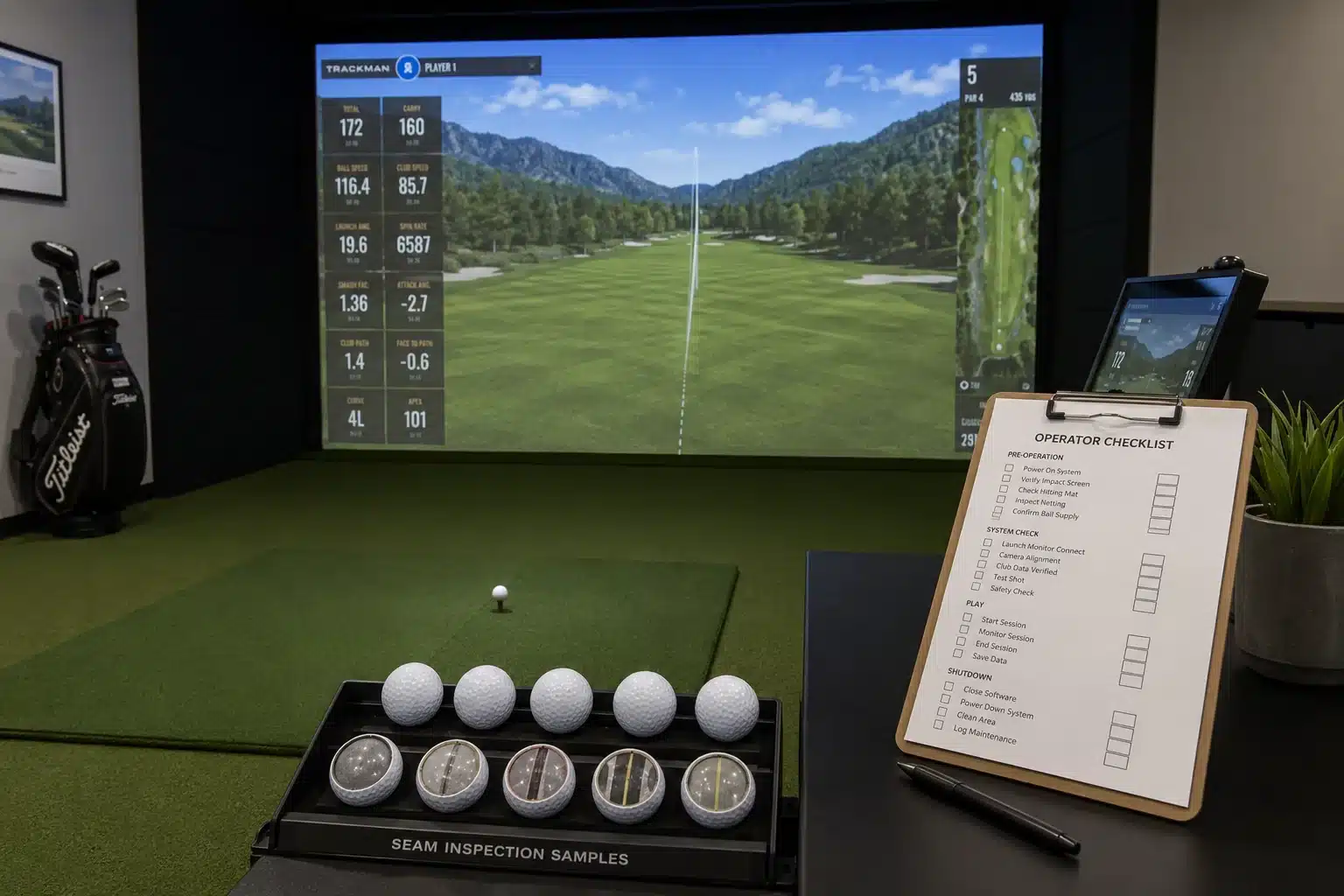
How much does bay downtime cost?
You may count the screen replacement cost but miss the larger loss: the bay cannot earn while replacement, setup, inspection, cleaning, and restart happen.
Bay downtime belongs in the ball-cost model because a torn or degraded screen stops a revenue room, not just a fabric panel. Your team should calculate replacement cost, booked-hour loss, reset labor, refunds, and visual degradation before accepting a lower ball price.
Public simulator pricing shows why downtime matters. One facility lists simulator time at $40–$50 per hour, another lists standard bays at $45 per hour and private suites at $60 per hour, and a mobile simulator event example reported $100 per hour plus a setup fee. Use these as public examples, not an industry average. Your own bay rate and booking calendar are what matter. bay-rate example private-suite rate example mobile event rate example
Use the same formula from your operating model:
Screen Event Cost = Replacement Screen / Enclosure Cost + (Bay Rate × Lost Booked Hours) + Reset / Cleaning Labor + Refunds or Credits
Now make the ball-price gap visible. Suppose a controlled indoor-use ball costs $0.20 more than the cheaper alternative. On 10,000 balls, the cheaper option looks like a $2,000 saving.
Under a worked model, three screen events at an $850 replacement cost plus eight lost booked hours at $75 per hour equal $4,350 in exposure. One screen event under the same assumptions equals $1,450. The difference is $2,900 before you count visual degradation, staff disruption, or guest confidence.
That model is not an industry average. It is a decision template. Replace the assumptions with your screen cost, bay rate, lost hours, cleaning labor, refunds, and ball-price delta. If the cheaper ball creates even a small increase in screen events or bay downtime, the savings can disappear quickly.
Create a screen-event cost model using your bay rate, lost booked hours, replacement cost, labor, refunds, and ball-price delta. Check the model against actual booking history, maintenance records, and screen replacement timing.
Do not classify a ball change as savings until the downtime model is reviewed by operations and finance.
Rates, replacement cost, and lost hours?
Your team should price the hours the bay cannot sell.
The screen is not the only cost in a screen event. The room loses revenue while it is offline, and it may lose guest confidence before the screen fully fails. That is why simulator screen wear belongs in the same conversation as ball purchasing.
How should you test balls before switching?
You may have a clean sample and a good quote, but screen risk remains unknown until the ball is cleaned, inspected, hit, and checked after repeated indoor impact.
Test simulator balls before switching by wiping them, inspecting seam and surface, hitting under bay conditions, and logging screen marks plus post-impact ball condition. Your team should retire dirty, scuffed, chipped, cracked, rough-equator, outdoor-used, or mixed-version balls before they touch premium screens.
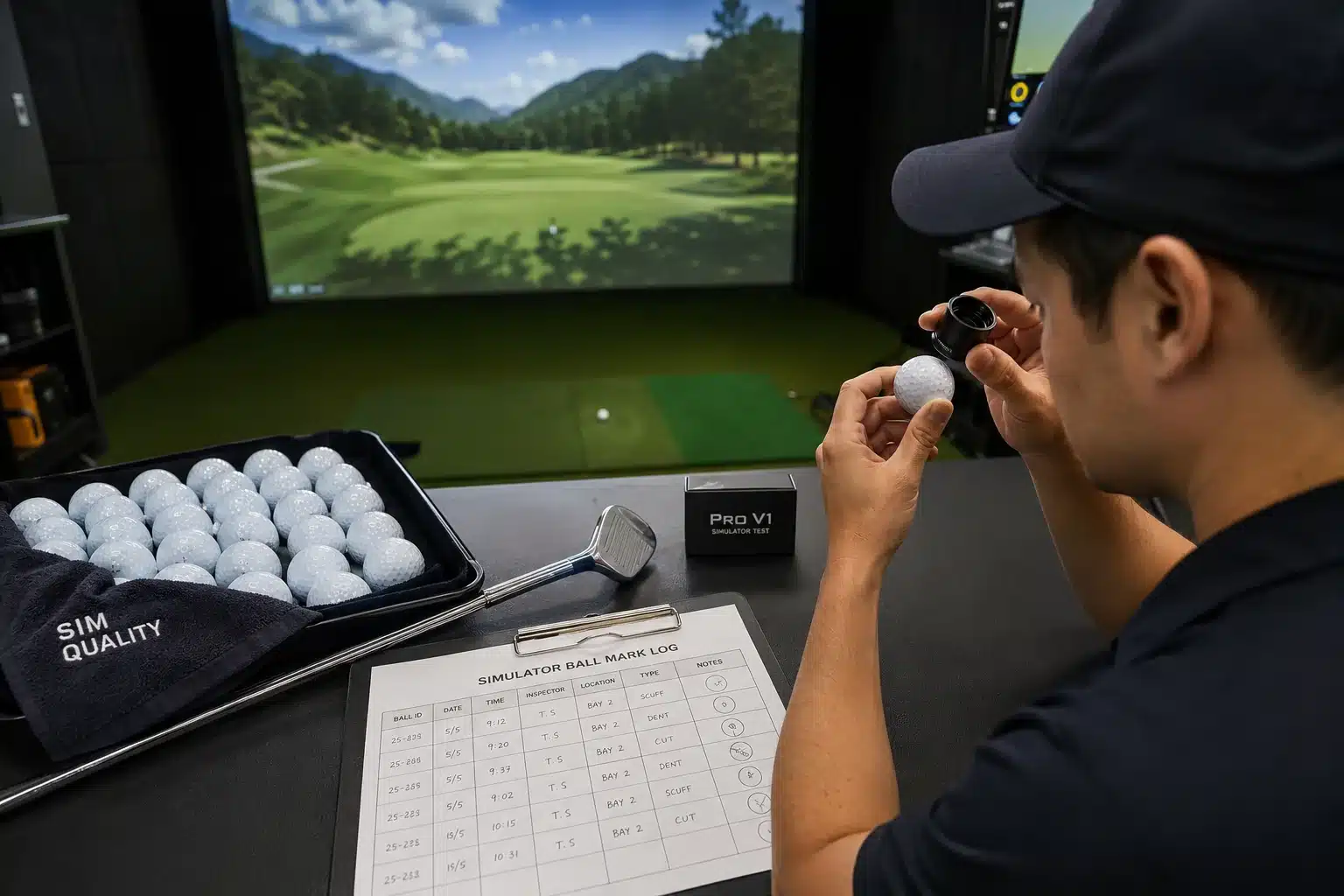
Indoor-only inventory is not housekeeping. It is asset protection.
Use a simple pre-switch sequence: wipe, inspect, hit, and log. Wipe the candidate ball and the current ball. Inspect the equator, finish, logo area, and any visible roughness. Hit both under the same bay conditions. Then log screen marks, ball marks, residue transfer, sound, rebound note, and post-impact surface condition.
Inspect clubs too. Dirty clubfaces can transfer residue onto balls and screens, especially during high-spin wedge use. A clean ball hit with a dirty face is not a clean system.
| Pain/decision | Test step | What to record | Action/evidence |
|---|---|---|---|
| Dirty ball risk | Wipe | Residue / marker / grass | Clean or remove |
| Seam risk | Inspect equator | Flashing / rough line | Reject from bay |
| Finish risk | Inspect surface | Chips / scuffs / rough coat | Retire ball |
| Screen mark risk | Hit test | Marks / transfer / burn pattern | Log result |
| Batch drift | Repeat sample | Same result across balls | Request QC |
| Policy gap | Segregate inventory | Indoor vs outdoor status | Label bins |
Write a retirement rule that staff can enforce without a debate. Remove any dirty, grass-marked, scuffed, cracked, chipped, rough-equator, or outdoor-used ball from premium indoor inventory. Quarantine unknown mixed buckets until inspected. Label indoor-only bins clearly and keep outdoor range balls physically separate.
There is no universal “screen-safe golf ball” standard, so use recognized methods as references when you want lab-style comparisons. ASTM D4060 covers abrasion resistance of organic coatings on a plane, rigid surface using a Taber Abraser. ASTM D5264 covers printed-material abrasion resistance using a Sutherland Rub Tester or equivalent. For finished simulator balls, write these as adapted on-ball comparison methods with agreed load, cycle count, inspection criteria, and before/after photos. ASTM D4060-25 ASTM D5264-98R19
Outdoor-used balls entering premium indoor bays is a failure signal.
Create a pre-switch test log and indoor-ball retirement rule. Run the same test on the current ball, candidate ball, and any outdoor-used inventory your staff wants to bring inside.
No ball enters premium bay inventory without passing wipe, seam inspection, surface inspection, hit-test observation, and retirement-rule screening.
✔ True — Indoor-only inventory is asset protection
Separating indoor and outdoor balls keeps dirt, scuffs, rough surface history, and unknown wear away from premium screens.
✘ False — “A clean-looking sample proves long-term screen fit”
A ball can look fine before contact and still roughen, transfer residue, or mark the screen after repeated indoor impact.
Wipe, inspect, hit, and log marks?
Your operations team should catch the screen-risk ball before the screen catches it.
The test does not need drama. It needs consistency. Use the same club type, same bay, same screen area, and same inspection steps. Keep photos. Compare current and candidate balls side by side. Then make the retirement rule visible to staff, not buried in procurement files.
What proof should your PO require?
You may receive one clean sample and a fast quote, but your PO must make sure the shipped production lot matches the approved indoor-use proof.
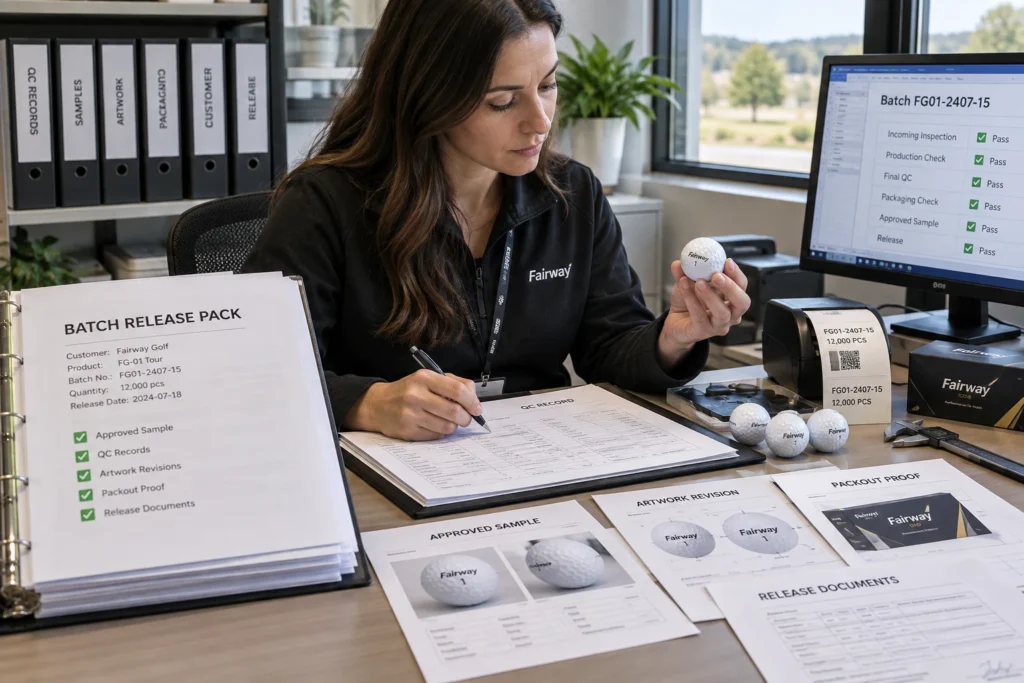
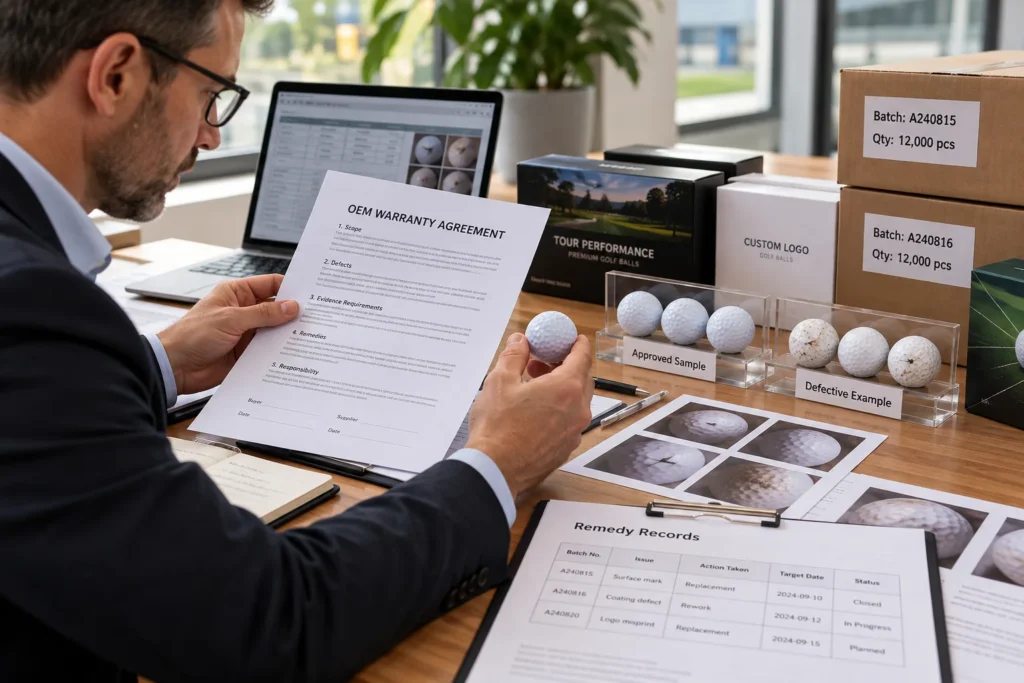
Do not switch indoor balls from one hero sample. Your PO should require seam macro photos, repeated-impact surface proof, 12-ball QC, retained sample, production version control, and receiving rules that reject dirty, scuffed, chipped, rough-seam, or mixed-version balls.
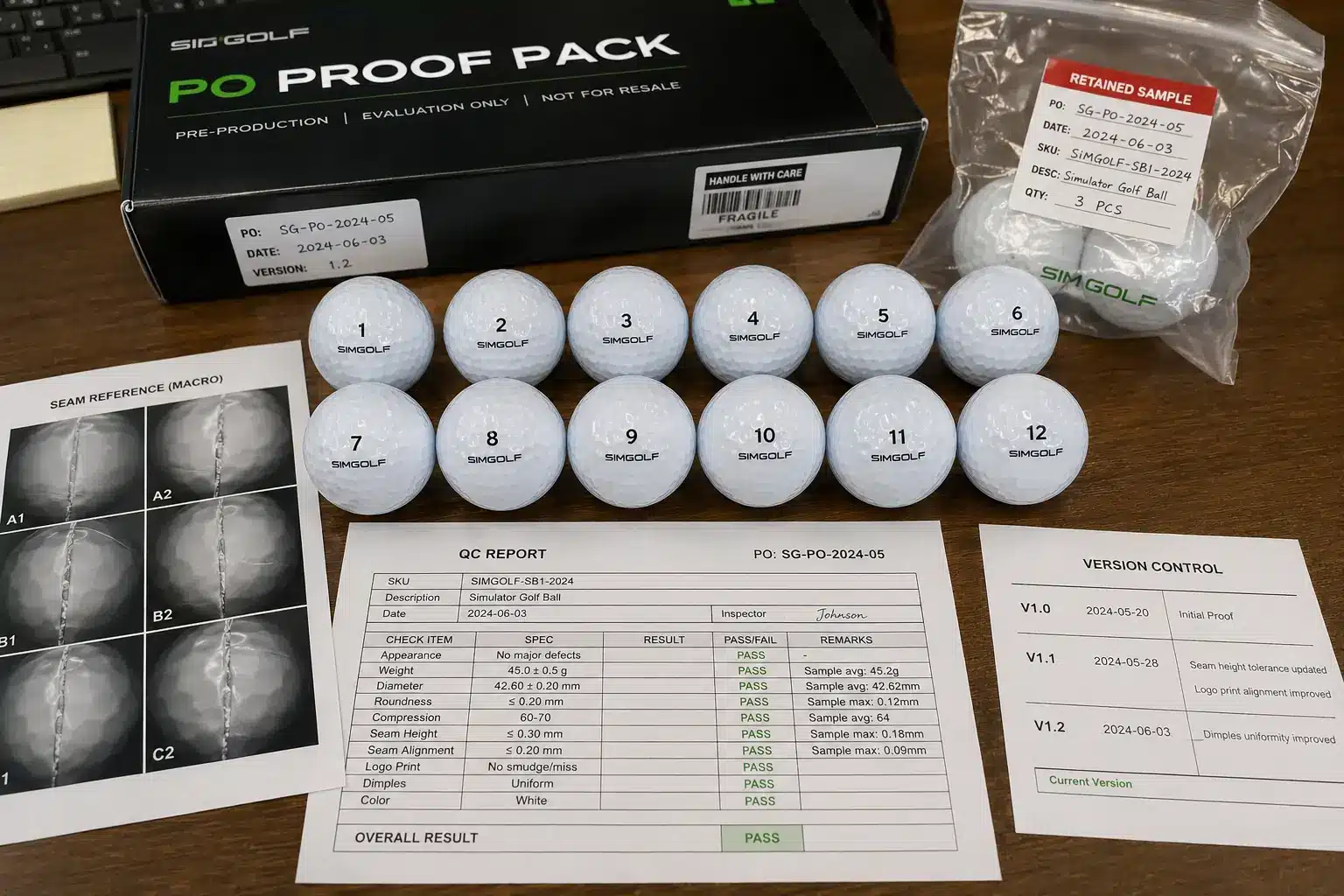
The best supplier proof connects the sample, test evidence, QC report, retained sample, and shipment to one production version. If those pieces do not point to the same ball, your team is approving fragments, not a controlled indoor-use program.
Supplier says “premium quality” but has no seam macro is a failure signal. So is one clean sample approved without batch spread.
Ask the supplier to quote one approved indoor-use ball platform with seam macro photos, smooth-equator proof, before/after repeated-impact surface comparison, 12-ball QC summary, retained sample reference, production version number, and AQL-based receiving rule for surface defects.
A 12-ball QC summary should include weight, diameter, compression, Shore hardness, visual defects, batch spread, method or device, and calibration status where available. The point is not to turn the buyer into a laboratory. The point is to stop one hero sample from representing a shipment that may not match.
Use AQL language for receiving defects without writing a full inspection manual. ISO 2859-1:2026 defines acceptance sampling plans for inspection by attributes and can support lot-based pass/hold/reject language. For indoor simulator balls, surface defects can include rough seam, chipped finish, visible scuffing, dirty surface, cracked ball, wrong batch version, or missing QC record. ISO 2859-1:2026
Supplier shall link approved indoor-use sample, seam macro images, repeated-impact surface proof, 12-ball QC summary, retained sample reference, production version number, batch ID, packing list, and receiving inspection record under one traceable indoor-ball approval file.
Request an indoor simulator ball acceptance pack: seam macro, repeated-impact proof, 12-ball QC, retained sample, version control, and AQL surface-defect rule. Check that seam proof, impact proof, QC report, packing list, and retained sample all reference the same approved production version.
Hold shipment if traceability breaks or if seam, surface, compression, hardness, visual-defect, or version-control fields are missing.
Seam macro, QC pack, and version control?
Your PO should protect the bay before the first ball reaches the bucket.
Do not accept “mass production will improve” unless the production version is retested and reapproved. Any change to molding precision, coating system, compression target, surface finish, packaging spec, or deployment rule should require written buyer approval before shipment.
FAQ
Do real golf balls ruin simulator screens?
Not automatically. The bigger risk is dirty, scuffed, chipped, cracked, or visibly rough golf balls entering the bay. Clean, smooth, controlled balls and worn outdoor-used balls are not the same screen-contact risk.
Real golf balls can be suitable for simulator use when their surface stays clean and controlled. The problem starts when staff reuse outdoor range balls, mixed buckets, scuffed balls, or cracked balls because they still “work” on the launch monitor. Your screen-care rule should inspect condition, not just ball type.
Can outdoor range balls be used indoors?
They may still produce launch-monitor data, but they should not be your premium-bay default. Outdoor-used balls can carry dirt, scuffs, rough finish history, and hidden surface damage that accelerates screen marks.
Keep indoor and outdoor balls physically separate. Use an indoor-only bin and written operator rule. Reject visibly worn balls before deployment. If a bucket has mixed history, quarantine it instead of letting staff use it “just for a few swings.”
How long should an impact screen last?
There is no universal lifespan because screen life depends on material, installation, usage volume, ball condition, club cleanliness, impact pattern, and maintenance. A busy commercial bay needs its own replacement record.
Use your own replacement history. Track bay hours, screen marks, strike-zone wear, cleaning events, and replacement timing. Model scenarios instead of quoting one lifespan for every facility. A fitting studio, academy bay, private club room, and entertainment venue will not share the same wear pattern.
What is the best ball for protecting a screen?
The best simulator ball is not simply the most expensive ball. It is the ball that stays clean, smooth, consistent, and traceable under indoor-use conditions, with documented seam, finish, compression, and batch proof.
Verify seam condition. Verify surface stability after repeated impact. Check compression and batch consistency. A ball that looks premium but lacks seam proof, surface proof, and production version control has not yet proven that it protects your screen.
Why do balls leave marks on simulator screens?
Marks can come from dirty balls, dirty clubs, chipped paint, marker transfer, scuffed covers, high-spin contact, or a surface that begins to shed, roughen, or transfer residue after repeated impact.
Clean balls and clubfaces. Log recurring mark locations. Retire balls that transfer residue or show roughness after impact. If marks appear after a ball change, compare candidate balls against your previous approved ball under the same bay conditions.
How do you reduce avoidable screen wear?
Use indoor-only inventory, inspect balls before deployment, rotate balls, clean clubs and balls, log screen marks, and remove any dirty, scuffed, chipped, cracked, rough-seam, outdoor-used, or mixed-version ball.
Write a retirement rule. Train bay staff to enforce it. Review marks and replacement timing monthly. Avoidable wear usually survives because nobody owns the daily rule, not because the solution is complicated.
What should a supplier prove before you switch?
Ask for seam macro photos, repeated-impact surface proof, 12-ball QC report, compression and Shore hardness data, retained sample, production version control, and receiving acceptance rules tied to the shipped version.
Reject “premium quality” without proof. The sample, QC report, packing list, retained sample, and shipment should all identify the same approved indoor-use ball version. Hold lots when traceability breaks or when surface-defect rules are missing.
Conclusion
A cheap golf ball becomes expensive when its surface condition turns into screen abrasion, bay downtime, replacement cost, and a weaker guest experience.
The safest simulator-ball decision is surface control: clean indoor-only inventory, verified seam, stable finish, documented batch quality, and a written receiving rule.
Your screen does not care whether the ball was cheap or expensive. It cares whether the ball stayed clean, smooth, and controlled at impact. Build your simulator ball policy around that fact, and your purchasing decision starts protecting the room instead of quietly grinding it down.
You might also like — Range vs Game vs Tour Golf Balls: The B2B OEM Sourcing Guide